
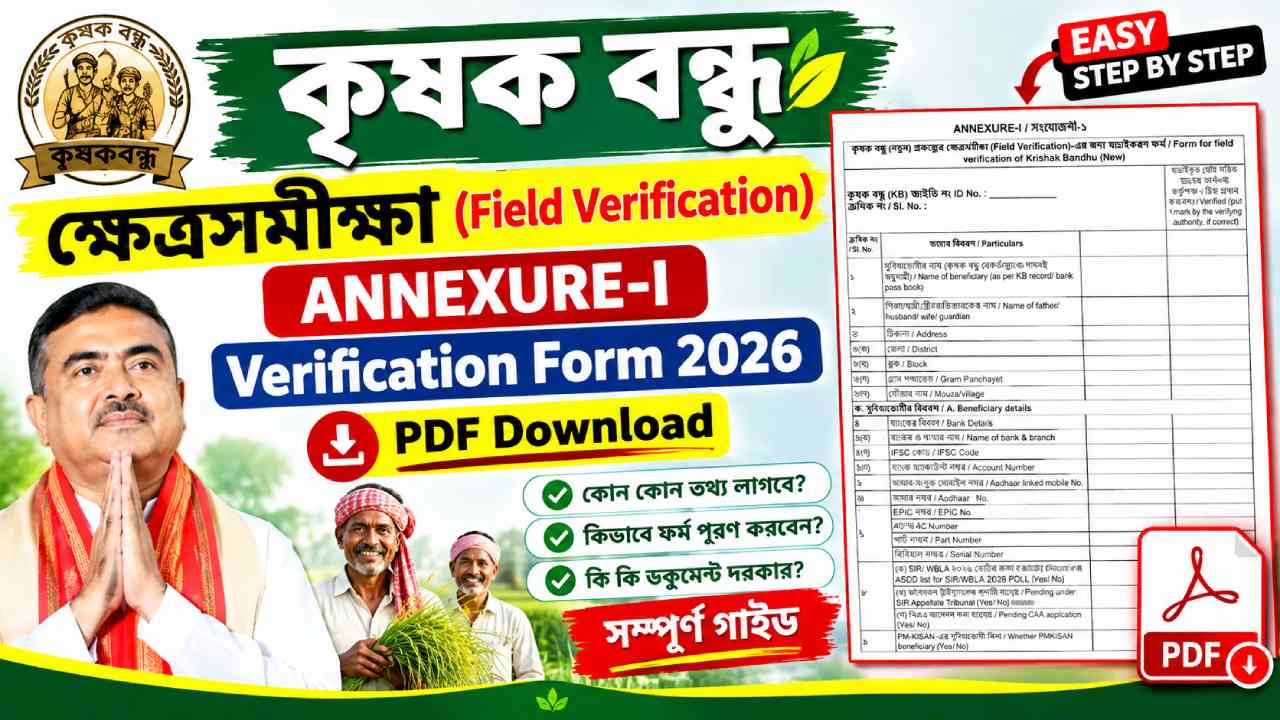
Krishak Bandhu Verification Form: The Government of West Bengal has started the field verification process for beneficiaries of the Krishak Bandhu (Natun) Scheme. As part of this verification drive, eligible beneficiaries are required to submit the Krishak Bandhu Annexure-I Verification Form along with supporting documents.
This verification process is mainly intended to confirm the identity, bank details, voter details, Aadhaar information, and land records of existing beneficiaries. According to the information provided in the verification campaign, beneficiaries who are receiving only Krishak Bandhu benefits may need to complete this verification process.
What is Krishak Bandhu Annexure-I Verification Form?
The Annexure-I Verification Form is the official field verification form used for checking and updating beneficiary information under the Krishak Bandhu (Natun) Scheme. The form collects details related to:
- Beneficiary information
- Family details
- Aadhaar details
- Voter ID information
- Bank account information
- Cultivable land details
- PM-KISAN status
- Spouse details
| Particulars | Details |
|---|---|
| PDF Name | Krishak Bandhu Annexure-I Form |
| Scheme | Krishak Bandhu (Natun) |
| State | West Bengal |
| Language | Bengali |
| Total Pages | 2 |
| Purpose | Beneficiary Verification |
| Form Type | Annexure-I Field Verification Form |
Who Needs to Submit This Form?
The verification form is intended for existing Krishak Bandhu beneficiaries whose records are being verified by the authorities.
According to the information shared during the verification process:
- Existing beneficiaries may be asked to complete verification.
- Beneficiaries should submit accurate information.
- Incorrect information may lead to verification issues or rejection.
Documents Required for Krishak Bandhu Verification
Applicants should keep the following documents ready:
Applicant Documents
- Aadhaar Card
- Voter ID Card
- Bank Passbook
- Updated Land Record (RoR/Khatian)
- Copy of the voter list page where the applicant’s name appears
- Aadhaar-linked mobile number
Spouse Documents (If Applicable)
- Aadhaar Card
- Voter ID Card
- Bank Passbook
- Copy of voter list page
- Aadhaar-linked mobile number
Important Note: Carry original documents during verification and sign all photocopies before submission.
How to Fill Krishak Bandhu Annexure-I Verification Form 2026
Step 1: Enter KB ID Number
Write your Krishak Bandhu ID Number in the space provided.
The form begins with:
Krishak Bandhu (KB) ID No.
- Enter the correct KB ID.
- Verify it from your existing Krishak Bandhu records.
- Do not leave the field blank.
Step 2: Beneficiary Name
Write your name exactly as it appears in:
- Krishak Bandhu records
- Bank passbook
The form specifically asks for: Name of Beneficiary (as per KB record / Bank Passbook).
- Use CAPITAL LETTERS.
- Avoid spelling mistakes.
Step 3: Father / Husband / Guardian Name
Enter:
- Father’s Name (for most applicants)
- Husband’s Name (for married female applicants)
- Guardian’s Name (if applicable)
This field appears as: Name of Father / Husband / Wife / Guardian.
Step 4: Address Details
Provide complete residential information.
| Field | Details |
|---|---|
| District | District Name |
| Block | Block Name |
| Gram Panchayat | GP Name |
| Mouza/Village | Village Name |
These fields are listed in the form under Address Details.
Step 5: Bank Account Details
Fill in: Bank Name and Branch
Example:
- SBI – Asansol Branch
- PNB – Burdwan Branch
IFSC Code: Enter the exact IFSC code.
Account Number: Write your complete bank account number carefully.
The form requires these details under Bank Details.
Step 6: Aadhaar Linked Mobile Number
Provide the mobile number linked with your Aadhaar Card.This is mandatory because OTP-based verification may depend on it.
Step 7: Aadhaar Number
Write your 12-digit Aadhaar Number accurately. Double-check every digit before submission.
Step 8: Voter Card (EPIC) Details
Fill:
- EPIC Number
- AC Number
- Part Number
- Serial Number
These details are specifically required in the form.
Step 9: ASDD / Electoral Verification Questions
You must answer Yes or No regarding:
ASDD List Status: Whether your name was found in the ASDD list.
SIR Appellate Tribunal Status: Whether any case is pending under the SIR Appellate Tribunal.
Pending CAA Application: Whether any CAA application is pending.These questions are included in the form.
Step 10: PM-KISAN Beneficiary Status
Mention whether you are a PM-KISAN beneficiary. Choose:
- Yes
- No
The form includes a dedicated PM-KISAN section.
Step 11: Primary Occupation
Select your main occupation. Examples:
- Farmer
- Government Employee
- Pensioner
- Other Profession
This field is included as Primary Occupation.
Step 12: Cultivable Land Details
This is one of the most important sections.
| Field | Description |
|---|---|
| JL Number | Jurisdiction List Number |
| Khatian Number | Land Record Number |
| Plot Number | Dag Number |
| Land Area | Total Acreage |
| RoR Date | Date of Record of Rights |
| Possession Type | Purchase / Death Mutation / Transfer / Others |
These land-related fields are clearly mentioned in the form.
- Use updated 2026 land records.
- Match details exactly with RoR documents.
- Mention correct acreage.
Step 13: Income Tax Status
Select:
- Yes (If you pay Income Tax)
- No (If you do not pay Income Tax)
This field is mandatory.
🔍 Krishak Bandhu Status Check Link ↗How to Fill Spouse Details Section
The second page contains spouse information.Enter:
- Name of Spouse
- Bank Details
- Aadhaar-linked Mobile Number
- Aadhaar Number
- EPIC Number
- AC Number
- Part Number
- Serial Number
These fields are listed under “Spouse Details”.
Additional Questions for Spouse
Answer Yes or No regarding:
- KBN Beneficiary Status
- ASDD List Status
- SIR Tribunal Status
- Pending CAA Application
- PM-KISAN Status
These fields are part of the spouse verification section.
Beneficiary Declaration
Before submitting the form, the applicant must sign the declaration confirming that:
- All information provided is true.
- False information may lead to legal action.
- Benefits may be cancelled if incorrect details are found.
- Aadhaar information is submitted with consent.
This declaration is included in the official form.
Where to Submit the Verification Form?
Depending on local administrative arrangements, forms may be collected through:
- Gram Panchayat camps
- Block Development Office (BDO Office)
- Other designated verification centers
Applicants should contact their local authorities to confirm the submission location. Information shared during the verification campaign indicates that collection may occur through Panchayat camps or Block Offices.
Common Mistakes to Avoid
- Incorrect Aadhaar Number
- Wrong Bank Account Number
- Mismatch in Name
- Wrong Land Record Details
- Missing Signature
- Unsigned Document Copies
- Incomplete Spouse Information
- Wrong Voter Details
Incomplete or incorrect information may affect verification.
The Krishak Bandhu Annexure-I Verification Form 2026 is an important document for beneficiary verification under the Krishak Bandhu (Natun) Scheme. Applicants should carefully fill every section, attach all required documents, and submit the form within the prescribed period. Accurate information, matching land records, Aadhaar details, bank account information, and voter records will help ensure a smooth verification process and continuation of scheme benefits.